
Moonwin App: Download the mobile casino or play online
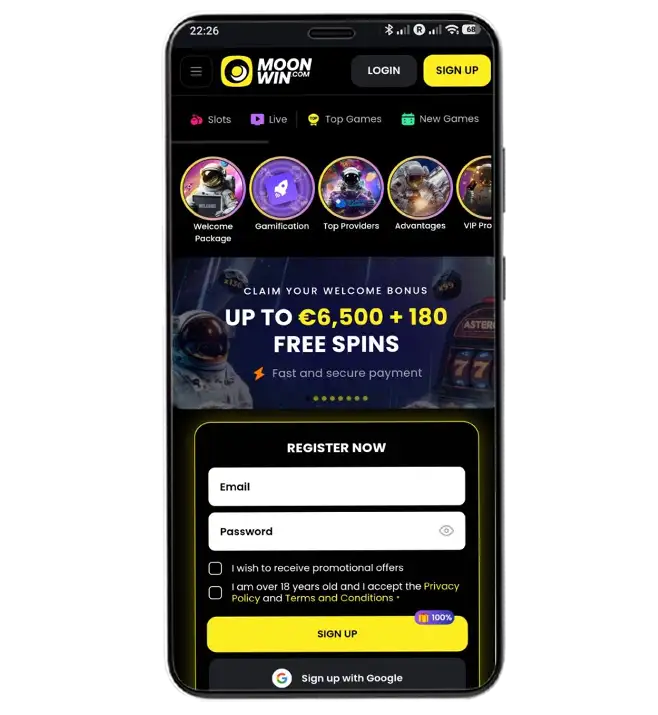
The Moonwin app operates exclusively as a mobile casino for players in Ireland, offering direct access to 4,000+ games from 50+ providers through the browser-based PWA version. No native download exists on App Store or Google Play. The Moonwin casino app grants newcomers a welcome package worth up to €6,500 plus 180 free spins across three deposits. Install the shortcut and claim your bonus today.


In this article
- About Moonwin App: PWA Version for iOS and Android Devices
- How to Download Moonwin for Android
- How to Download Moonwin for iOS
- Moonwin Mobile App Top Features
- Betting Options in Moonwin App
- How to Register in Moonwin App
- Bonuses and Promotions in Moonwin App
- Payment Options in Moonwin App
- How to Deposit Money via the Moonwin App?
- How to Withdraw Money via the Moonwin App?
- Moonwin Mobile Version
- FAQ
About Moonwin App: PWA Version for iOS and Android Devices
The Moonwin casino app launched under the management of Dama N.V. and Novatrix S.R.L. Players in Ireland access 4,000+ games through the mobile web version. Irish users rate the selection and payment options favourably.
| Parameter | Details |
|---|---|
| Official Name | Moonwin Casino |
| Year of Launch | 2023 |
| Licence | Curacao eGaming, Tobique Gaming Commission |
| Owner/Operator | Dama N.V., Novatrix S.R.L. |
| Welcome Bonus | 100% up to €5,000 + 100 FS |
| Supported OS | iOS, Android (PWA) |
| App Size | PWA web-based |
| Languages | English, German, French, Italian, Norwegian |
| Minimum Deposit | €20 |
| Currencies | EUR, BTC, ETH, USDT, LTC, DOGE |
| Customer Support | Live Chat 24/7, Email |
How to Download Moonwin for Android
Moonwin does not offer a native APK file for Android devices. Players can install a progressive web app (PWA) shortcut directly from the mobile browser.
Follow these steps to complete the Moonwin app download for Android process on your device:
- Visit the official Moonwin website. Open your mobile browser and navigate to the casino's homepage.
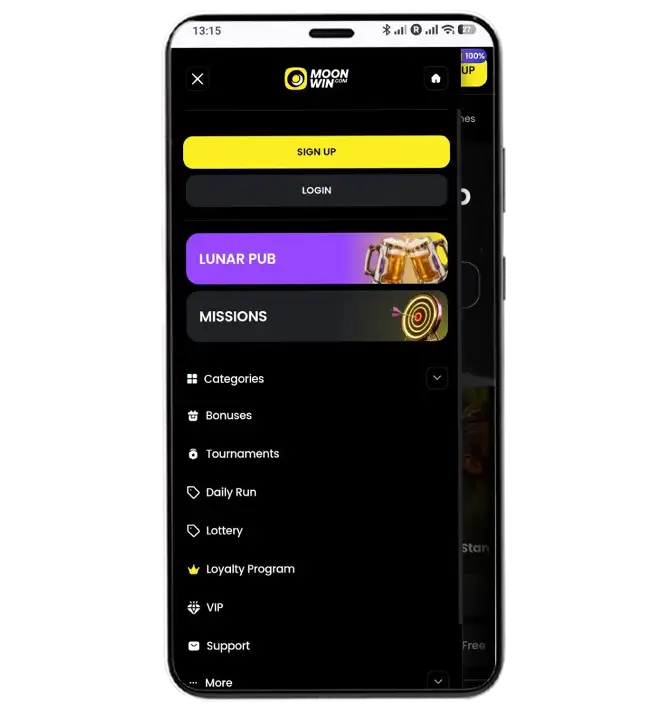
- Access the mobile menu. Tap the menu icon at the top of the screen.
- Select "Add to Home Screen". Locate this option in the browser settings or menu.
- Confirm the installation. Tap "Add" or "Install" when the prompt appears.
- Launch the shortcut. Find the new Moonwin icon on your home screen and tap it to open the casino, then proceed to log in or complete registration.
System Requirements
Android users need to meet basic technical specifications to access the Moonwin App web version smoothly.
| Requirement | Specification |
|---|---|
| Minimum Android OS version | Android 6.0 |
| RAM | 2 GB |
| Free storage | 100 MB |
| Processor level | Quad-core 1.3 GHz |
| Stable internet | Required |
Suitable Devices
Moonwin download functions on a wide range of Android devices across all versions. Compatible models include:
- Samsung Galaxy series;
- Google Pixel;
- Xiaomi/Redmi;
- OnePlus;
- Huawei/Honor;
- Budget Android phones.
How to Download Moonwin for iOS
The platform does not offer a native application in the App Store. Irish players can access the Progressive Web App version, which functions on any iOS device. The Moonwin app download for iOS process involves adding a home-screen icon through Safari's built-in features.
- Opening the site. Launch Safari and navigate to the official Moonwin website.
- Accessing the Share menu. Tap the Share icon at the bottom of the Safari browser.
- Finding the option. Scroll down and select "Add to Home Screen" from the menu.
- Confirming the name. Review the suggested name and tap "Add" in the top-right corner.
- Launching the icon. Return to the home screen and tap the newly created icon to open the web app.
The PWA version grants access to all 4,000+ games and payment methods available in Ireland.
System Requirements
Players need iOS 13.0 or higher to access Moonwin through mobile browsers.
| Requirement | Specification |
|---|---|
| Minimum iOS version | 13.0 |
| Device generation | iPhone 8 or newer |
| RAM | 2 GB |
| Free storage | 100 MB |
| Internet connection | Stable Wi-Fi or 4G/5G |
**Suitable Devices**
The Moonwin download app functions on a range of Apple hardware through the mobile browser or PWA installation.
- iPhone 8;
- iPhone 9;
- iPhone 10;
- iPhone 11;
- iPhone 12;
- iPhone 13;
- iPhone 14;
- iPhone SE 2020+;
- iPad 7+;
- iPad Air;
- iPad Pro.
Moonwin Mobile App Top Features
Irish players choose to install the Moonwin app (PWA) for instant access to thousands of casino games and crypto-friendly transactions. The progressive web application delivers full desktop functionality on smartphones without requiring downloads from app stores.
The platform provides the following features for registered users:
- 4,000+ slot games from 50+ software providers;
- Live casino tables with Evolution Gaming and other leading studios;
- Fast games including crash titles and instant-win options;
- Bonus Buy slots for direct feature access;
- Drops & Wins tournaments with prize pools;
- VIP programme with five tiers and personalised rewards;
- Daily missions offering 100+ weekly challenges;
- Quick crypto payments via Bitcoin, Ethereum, USDT, Litecoin and Dogecoin;
- EUR currency support for all transactions;
- 24/7 live chat with multilingual assistance.
Betting Options in Moonwin App
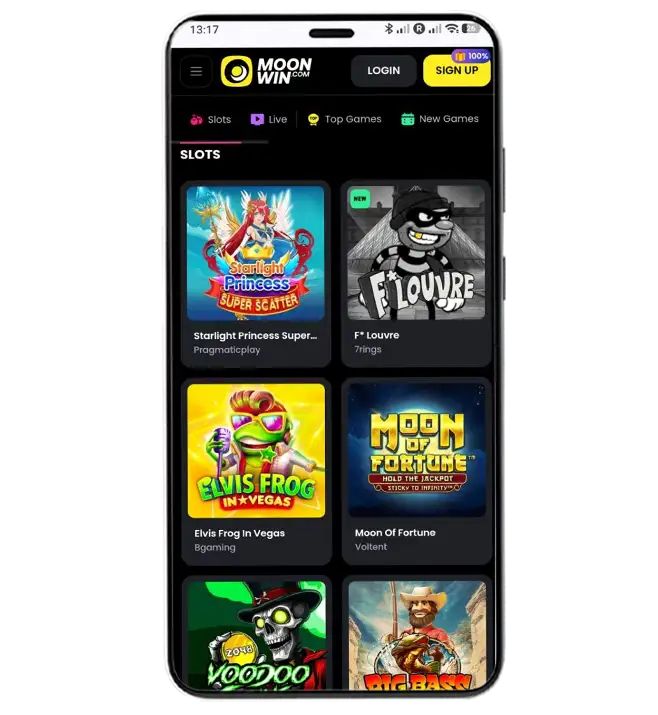
The Moonwin casino app provides access to over 4,000 casino games with no separate section for sports or events. Players can explore a varied collection that includes slots, live dealer tables, crash and fast games, and jackpot titles. The selection features content from 50+ software providers such as Pragmatic Play, Evolution Gaming, NetEnt, Play'n GO, Hacksaw Gaming, and Red Tiger. Users can filter games by category, provider, or popularity to find preferred options.
Demo mode allows players to test selected games without risking real money. The focus remains entirely on casino entertainment, which delivers slots with Bonus Buy features, Drops & Wins promotions, and live tables with professional dealers streaming in real time.
How to Register in Moonwin App
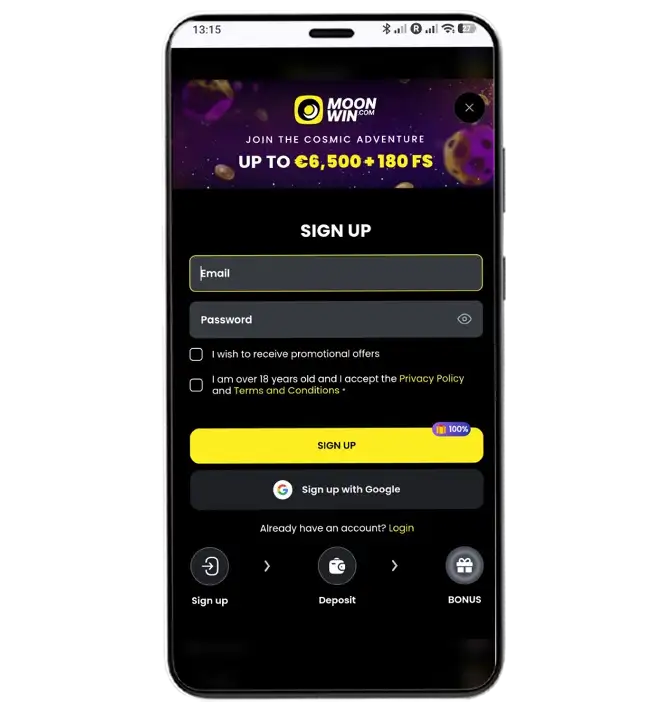
Players can complete registration via email or Google account after Moonwin download. The process takes under 3 minutes and requires basic personal details. Follow these steps to create an account:
- Open the official website or launch the PWA version on your device.
- Tap the Sign Up button located in the top right corner of the screen.
- Fill in your email address, create a password, and select EUR as your currency.
- Confirm that you are 18+ years old and accept the terms and conditions.
- Complete the email verification by clicking the link sent to your inbox.
- Log in to your new account and start playing.
Bonuses and Promotions in Moonwin App
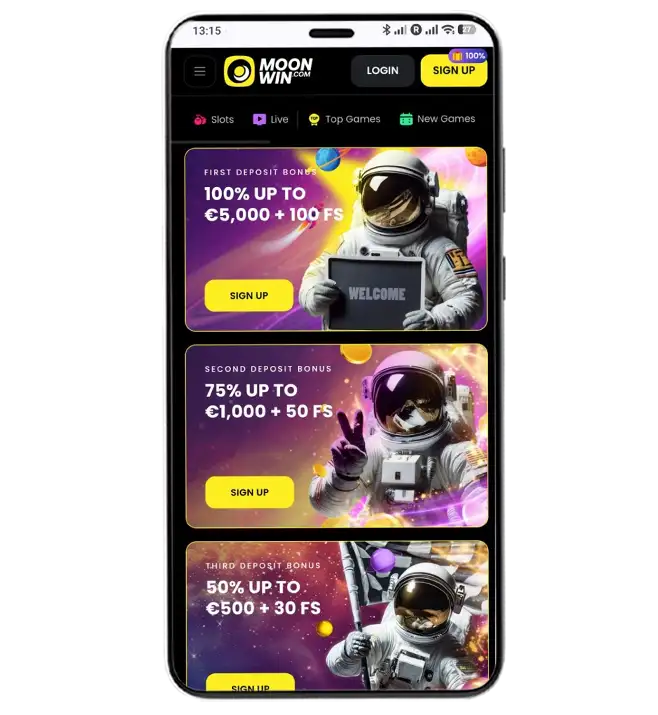
New players in Ireland unlock a three-tier welcome package: 100% up to €5,000 plus 100 free spins on the first deposit, 75% up to €1,000 plus 50 free spins on the second, and 50% up to €500 plus 30 free spins on the third.
The casino runs several reload promos throughout the week and operates a five-tier VIP programme with cashback percentages from 5% to 12.5%. Irish players can access all promotions after Moonwin download app installation through the PWA shortcut on mobile devices.
Key promotional offers available in 2026:
- Welcome bundle – three-stage match bonus with up to €6,500 and 180 free spins total;
- Monday Reload Spins – up to 100 free spins for active players;
- Wednesday Bonus – up to 100 free spins on selected slots;
- Game of the Month – up to 75 free spins on featured titles;
- Daily Missions – over 100 weekly tasks with guaranteed rewards;
- VIP Lunar Tuesday – 50, 75 or 100 free spins at elevated bet sizes;
- VIP Solstice – 75% match bonus for high-tier members;
- VIP Galactic Boost – 50% bonus with 50 free spins;
- VIP levels and cashback – five ranks (Moonlight, Crescent Moon, Full Moon, Supermoon, Lunar Eclipse) with daily cashback from 5% to 12.5%.
Payment Options in Moonwin App
Irish players can deposit and withdraw funds in EUR through multiple methods. Moonwin app download for android offers the same banking options as the web version through PWA installation.
The table below outlines the available payment methods with their transaction parameters for Irish users.
| Method | Min Deposit | Max Deposit | Min Withdrawal | Max Withdrawal | Fee | Processing Time (Deposit / Withdrawal) |
|---|---|---|---|---|---|---|
| Visa / Mastercard | €20 | €4,000 | N/A | N/A | 0% | Instant / N/A |
| MiFinity | €20 | €2,500 | €20 | €2,500 | 0% | Instant / Up to 24 hours |
| Skrill / Neteller | €20 | €4,000 | N/A | N/A | 0% | Instant / N/A |
| Paysafecard | €20 | €1,000 | N/A | N/A | 0% | Instant / N/A |
| Bank Transfer | N/A | N/A | €50 | €5,000 | 0% | N/A / 3–5 business days |
| Bitcoin | 0.0001 BTC | Unlimited | €50 | €5,000 | 0% | Instant / Up to 1 hour |
| Ethereum | 0.01 ETH | Unlimited | €50 | €5,000 | 0% | Instant / Up to 1 hour |
| Tether | 5 USDT | Unlimited | €50 | €5,000 | 0% | Instant / Up to 1 hour |
| Litecoin / Dogecoin | 0.01 LTC / 1 DOGE | Unlimited | €50 | €5,000 | 0% | Instant / Up to 1 hour |
How to Deposit Money via the Moonwin App?
Deposits process instantly with minimums from €20 across cards, e-wallets, and crypto in the PWA after Moonwin app download for iOS. The platform supports Visa, Mastercard, MiFinity, Skrill, Neteller, Paysafecard, Bitcoin, Ethereum, Tether, Litecoin, and Dogecoin with no fees. Players can fund accounts in seconds and start casino sessions right away.
Follow the steps to complete a deposit transaction through the mobile web application:
- Log in. Open the PWA and enter credentials to access the account.
- Open Cashier section. Tap the Deposit button in the menu.
- Select payment method. Choose from available cards, e-wallets, or cryptocurrencies.
- Enter the deposit amount. Type the sum starting from €20.
- Confirm payment. Review details and authorise the transaction.
- Wait for credit. Funds appear in the balance instantly.
How to Withdraw Money via the Moonwin App?
Daily limits reach €5,000, weekly caps stand at €10,000, and monthly maximums total €20,000. Irish players prefer bank transfer and cryptocurrency channels, with processing times varying from 3–5 business days for bank transfers to under 1 hour for crypto withdrawals. The Moonwin app handles all transactions through its mobile-optimised interface.
- Open the Cashier section and select the Withdraw option.
- Choose a preferred withdrawal method from available channels.
- Enter desired withdrawal amount within set limits.
- Submit request and confirm transaction details.
- Pass KYC verification checks when requested.
- Receive funds according to chosen method's processing time.
Moonwin Mobile Version
Players can add a PWA icon to their home screen or access the casino through a standard browser. Both methods provide full functionality across all devices.
| Feature | PWA Home-Screen App | Regular Mobile Site |
|---|---|---|
| Access Method | Tap icon on home screen | Open browser and enter URL |
| Speed | Faster load times | Standard load times |
| Notifications Support | Push notifications enabled | No push notifications |
| Installation Need | Add to home screen required | No installation |
| Resource Usage | Lower data consumption | Higher data consumption |
FAQ
Is there a Moonwin app for Android in Ireland?
No native APK exists for Android devices. Players can save a PWA shortcut directly from the browser. Moonwin app download for Android remains unavailable through Google Play.
How does the Moonwin app work on iOS?
Moonwin app download for iOS installs a PWA web-application shortcut to the home screen and runs through Safari browser core without an App Store application.
Which payment methods can Irish players use in the Moonwin app?
Irish players can deposit and withdraw funds through Visa/Mastercard, MiFinity, Skrill, Neteller, Paysafecard, bank transfer, BTC, ETH, USDT, LTC, and DOGE after Moonwin download.
What welcome bonus does the Moonwin app offer in Ireland?
The Moonwin casino app provides a three-part welcome package: 100% up to €5,000 plus 100 free spins, then 75% to €1,000 with 50 free spins, and 50% to €500 with 30 free spins.
How fast does Moonwin process withdrawals in the app?
Crypto withdrawals take up to 1 hour, MiFinity completes within 24 hours, and bank transfers need 3–5 business days after Moonwin download app installation.